Thursday, 15 December 2011

Action Plan - Week 10:

Completed by: Me


Here is my tenth week action plan which will structure what i will produce within the tenth week of the set time period. This is our last week for finish EVERYTHING. However we do have a double lesson when we arrive back in the new year. So this week, we have planned to:


We will do individually:

  • Write up a conclusion
  • Post information about the editing process

As a group:
  • Finish editing, by adding audio, voice over and credits. We will finish editing in our own time if needed.


Tuesday, 6 December 2011

Editing Process, Day 1:

Completed by: Me

On 5/12/11, we began editing! So, Nicola, Chloe and I created a video blog about what we are up to in our media lesson and what our process is during editing. We wanted to try a new type of technology whilst blogging which is why I came up with this idea. Alternatively, we did aim to make it realistic and entertaining, in order for it to not look so plain and script read, meaning had spoken from our own knowledge


This blog gives an update on what we are up to:


Software used:

  • Final Cut


What did we do today?
  • During today's double lesson, we uploaded the video from the camera onto the imac using a fire wire cable, opening the contents of what we have filmed onto Final Cut Pro which enabled us to cut shots, putting them in the correct order etc
  • This followed on to cutting certain parts of the clips which were irrelevant and putting them together. Overall, this is was we did throughout the 2 hour lesson.

What will we do next lesson?

  • Finish cutting the scenes
  • Download the music 'Dead Silence'
  • Begin to create the credits

Conclusion:

I feel this was a very successful way of blogging as its quick, easy and portrays a simply understanding of what we are producing. Believe it or not, it took us 21 times to achieve the final video which was suitable to post, as during the interrupted shots were heavy background noise, we were all too shy in certain shots etc.
Overall, during today's process i feel that it went very well and i enjoyed learning how to use various types of software's, however, it did become stressful during the day because we kept loosing relevant shots, which then we had to re-upload. Although, i feel like this was because it was a new software we started using, and we now know how to use it for next lesson, so we can develop and improve what we have already created, adding, tint, sound effects credits, voice over etc.

Here we are cutting down each scenes.
  

Monday, 5 December 2011

Thanks:

Completed by: Me

Action Plan - Week 9:

Completed by: Me

Here is my ninth week action plan which will structure what I will produce within the ninth week of the set time period.

For week 9, we will complete:


We will do individually:
  • Write up a conclusion
  • Give you updates with the editing process and upload images and additional information.
As a group:
  • Finish editing
  • Begin to add audio, sound effects and music.

Thursday, 1 December 2011

Additional Information:

Now we have finished filming, we will begin editing on Monday 5th December 2011 using Nicola's mac laptop using the editing software 'Final Cut', 'iMovie' and 'Garage Band'. We plan to: 
  • Upload the film onto the mac laptop and watch through it all, picking out our best clips we've filmed.
  • Following onto cutting certain parts of clips which are irrelevant and putting them together.
  • We will experiment with cutting out background noise and darken and brighten the lighting.
  • We will add sound effects and music which are on our Animatics. Creating our own sound effects which are: voice over, biting into a apple and a loud, disturbing scream.
  • When we've finalised the sound effects and music we will add them onto our opening.
  • Lastly, we will begin to add credits, titles and black screens.

We may not stick to this plan, however it is a estimation of how we've planned to edit.


Action Plan - Week 8:

Completed by: Me

Here is my eight week action plan which will structure what I will produce within the eight week of the set time period.

For week 8, we will complete:


We will do individually:
  • Upload images and additional information from filming days
As a group:
  • Begin editing.

Filming - Second day:

Completed by: Me

Today (Thursday1st December) was our second day of filming which we filmed the 'indoor (car port)' and 'shed' scene. For this scene the characters consisted was the only main character, Snow White who was played by Annie Lock - a student from school.


People present:
  • Annie Lock as Snow White
  • Nicola Ho
  • Chloe King
  • Me.

What scenes did we film?
  • 4
  • 5

Where?
  • My car port and shed

Roles and Responsibilities:
  • Annie applied her make up and designed her hair similar to how Ellie Weeks designed Snow Whites hair last Thursday, however more natural.
  • Nicola, Chloe and I each set up the scenery and had taken turns in filming.
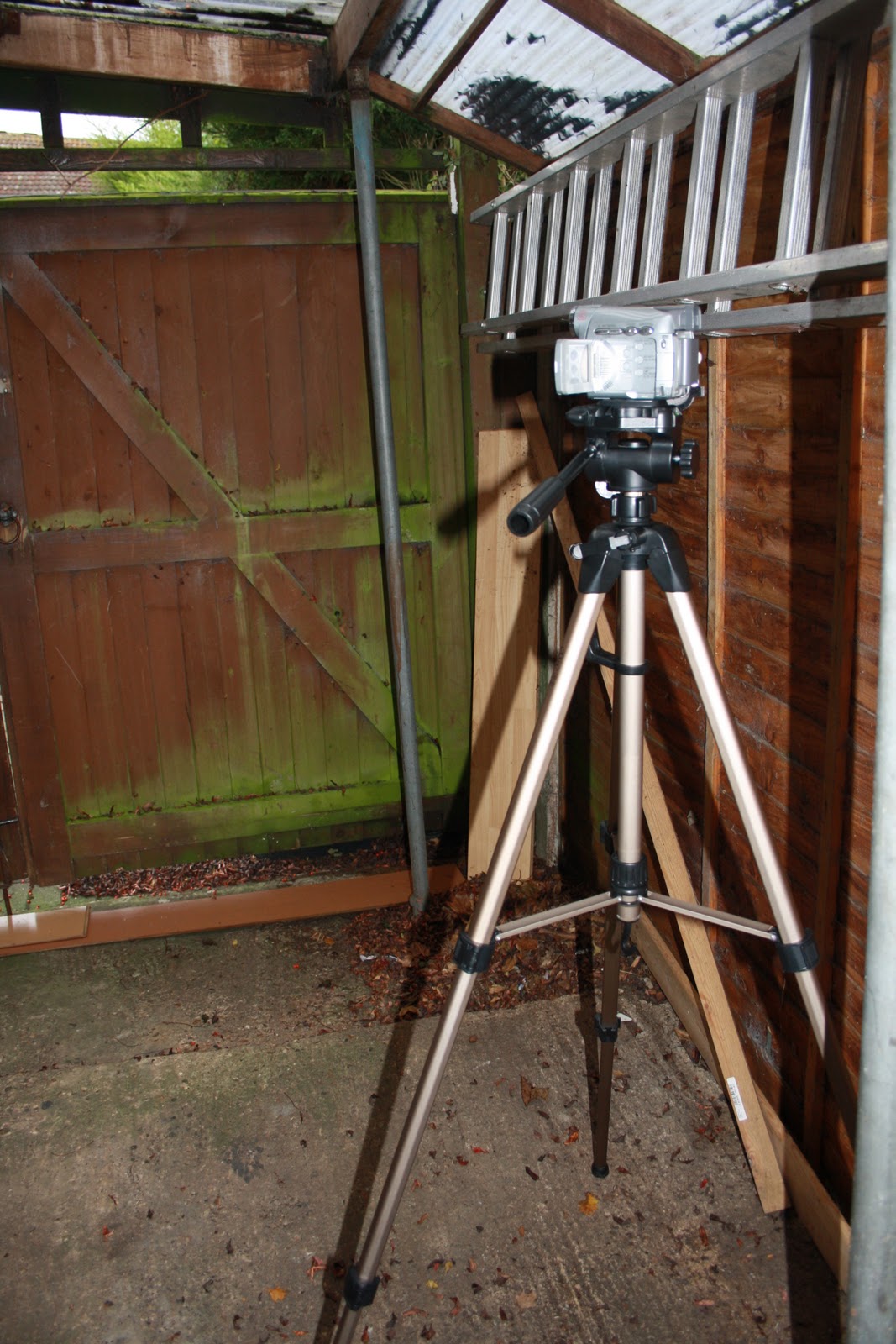
  • I set up the camera and tri-pod
  • I had taken photos of evidence.
  • We followed the health and safety rules listed in the post from week 6.
  • We each prepared emergency phone numbers.

Equipment used and individual brought them to the scene:

  • Video camera - Me
  • Tri-pod - Me
  • camera to take photos for evidence - Me
  • Refreshments - Me
  • Emergency phone numbers - Me, Nicola and Chloe
  • story board - Nicola
  • Make up - Me
  • Costume - Me and Nicola
  • Props: Mirror - Me and Nicola

Filming:
At lunch, Nicola, Chloe walked to my house, making sure Annie's costume, hair and making were ready by 2pm to begin filming, camera was fully charged (which it was), however if it wasn't we were able to charge it and we had all equipment needed ready. Our aim was to film in the afternoon as we didn't want it to be too dark as we were using natural lighting, therefore, we began filming at 2pm and finished at 3pm which was quicker then we thought.

I began to set up the camera while Annie was getting ready, to start off, Annie's make up was light and innocent. We first began to get a MS shot of Snow White looking into the mirror which lasted for 6 seconds, which followed on with capturing an OTS of Snow White looking into the mirror lasting 5 seconds, however the audience can just see her reflection. This lead onto a LS of Snow White screaming in high pitch and throwing the mirror onto the floor which lasted 5 seconds. Our aim was to capture Snow White screaming in fear. Also, for this shot we had to create similar make up we used in the first filming day, therefore, Annie put mascara down her face. Resulting into a  CU of the smashed mirror which gradually zoomed in, lasting 9 seconds. After this we had finished this scene which we then trailed on and filmed a WS of my shed, slowing zooming into the window to a black out, last 10 seconds, however we did re-shoot this 3 times as because of the uneven ground, the came titled slightly. As a group, we decided we wanted to film as soon as possible as Annie had other commitments later that day. Luckily, the temperature was humid and overcast similar to our first filming day which fits into continuity editing. Although, we filmed various shots of the mirror shot and shed, so when it comes to the editing process, we had a more wide range of shots to choose from. We each had taken turns in filming and as it was filmed during school hours, there were not many students and background noise.


Conclusion (similar to first filming day):


  • Overall, i feel that Annie did do a brilliant job at portraying a innocent, then a scared Snow White, as she was able to do all directions we gave to her which followed the storyboard very easily.
  • Unfortunately, the ground was uneven which made filming a bit difficult, however, we did manage to over come this by practicing the scenes many times before filming in different positions, although it did leave us with limited spacing to film.
  • We had a lucky day as it was overcast and humid which didn't delay the filming and enabled us to get on with the filming.
  • There was no background noise, however we may have captured some cars driving past in the background. Although, we can edit the sound when we edit the film.
  • Most importantly, i feel that today with the filming process went outstandingly as we all had similar ideas and got straight on with filming and Annie followed intuitions easily
  • We worked very well as a group as we didn't have any disagreements as a group and simply followed the storyboard. I am now looking forward to filming the rest of the opening and editing as i am extremely happy with what we have produced so far.


Here are some photos taken during filming process:
    
    Annie in costume and on set before filming
    
    Set on before filming
    
    Setting up the camera
    Annie doing her make up for the OTS and CU shots
    with the mirror
    Me filming the 'shed' scene
    Me filming the 'shed' scene
    Chloe filming the 'shed' scene
    Here is the shed we were filming.
    Here is the smashed mirror after Snow White threw it on the floor